I’ve been building WordPress sites for over 10 years, and I’ve hit a pain point that’s been driving me crazy for months. If you’re using Breakdance to build template-driven sites and relying on Rank Math for SEO analysis, you’ve probably noticed the same frustrating disconnect I have: your SEO scores don’t match what’s actually on the page.
I’d carefully craft templates with proper heading structure. I’d add dynamic content from custom post types. I’d build beautiful, SEO-friendly pages. But when I’d check Rank Math’s Content Analysis? Red and orange scores everywhere. Missing H2 and H3 tags. Low keyword density. Insufficient internal links—even though all of those elements were right there on the live page.
The problem wasn’t my SEO strategy. It’s that Rank Math can only analyze what’s in the WordPress editor, and Breakdance renders most of its magic on the frontend.
So I built a solution. And now I’m sharing it with you.
The SEO Scoring Problem I Was Facing with Breakdance
Rank Math SEO is one of the most popular SEO plugins for WordPress, and for good reason. Its real-time content analysis helps me optimize content before hitting publish. But I discovered a fundamental mismatch when using Breakdance with template-driven content.
Why Traditional SEO Analysis Was Failing Me
Here’s what I was experiencing in my typical Breakdance workflow:
- I’d create a template in Breakdance for a custom post type (dumpster sizes, service areas, team members, etc.)
- I’d add dynamic fields that pull content from ACF, post meta, taxonomies, or the post title itself
- I’d structure everything with proper H1, H2, and H3 tags, internal links, and keyword placement
- Breakdance would render this beautifully on the frontend
- But in the editor, Rank Math would only see shortcodes, template references, or placeholder text
The result? Rank Math would give me red or orange SEO scores flagging missing H2 tags, missing H3 tags, poor keyword usage, and insufficient content—even though my actual page had perfect SEO.
A Real Example: The Dumpster Rental Problem
Let me give you a concrete example from a client project. I was working on Cardella Waste, building out their dumpster rental service pages. Each dumpster size (10-yard, 20-yard, 30-yard) was a separate post with the size as the post title.
In my Breakdance template, I was dynamically building content like:
- “Rent a 10-yard Dumpster in North Jersey”
- “Our 10-yard dumpsters are perfect for…”
- “10-yard Container Specifications”
The post title “10-yard” was being inserted throughout the page, creating natural, keyword-rich content. On the frontend, it looked perfect. But Rank Math’s analysis? It was seeing template placeholders and giving me poor scores for missing headings and low keyword density.
Yes, Rank Math has a meta field in the post type configuration where you can specify custom fields to include in the analysis. I tried that. But here’s the problem: it only grabs the field values, not the full HTML markup that appears on the frontend. So Rank Math would see “10-yard” as a value but miss all the H2 tags, H3 tags, and contextual content built around it in the template.
The Real-World Impact on My Agency Work
This wasn’t just an annoyance—it was affecting how I served my clients:
- Wasted time manually reviewing pages I knew were optimized
- Missed opportunities because I couldn’t trust the automated analysis
- Difficult client conversations trying to explain why their “optimized” pages showed poor scores
- Inability to bulk analyze hundreds of template-based pages accurately across client sites
- No reliable baseline for tracking SEO improvements over time
When you’re managing client sites with dozens or hundreds of pages built from Breakdance templates, you essentially have to choose between trusting Rank Math’s inaccurate scores or abandoning real-time SEO analysis altogether. Neither option was acceptable for how we run things at Creare Web Solutions.
My Solution: The Breakdance ↔ Rank Math Bridge
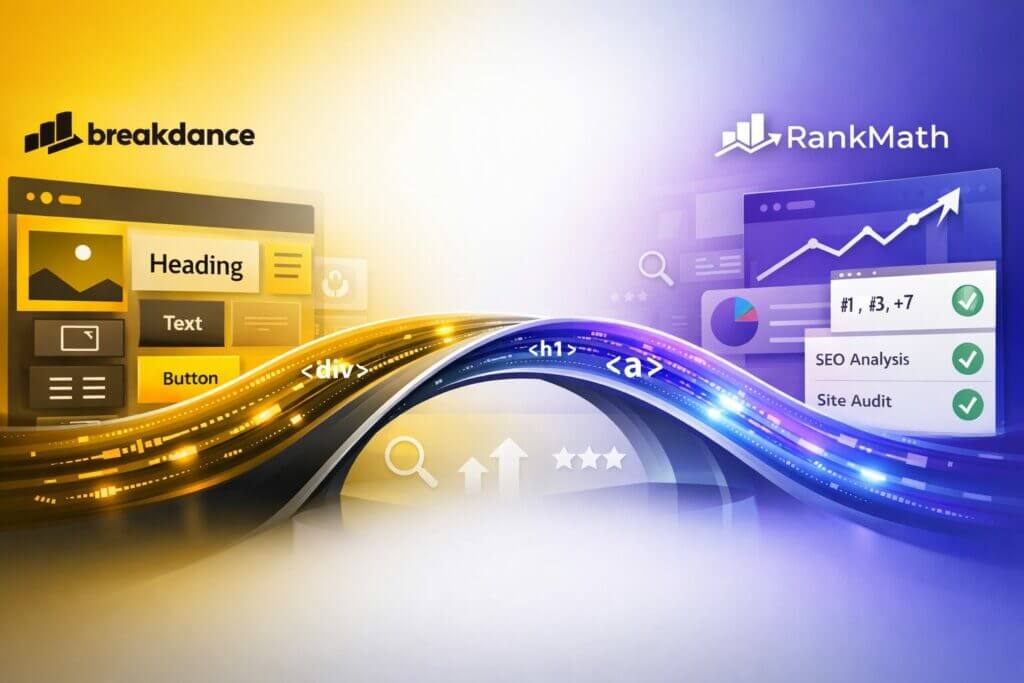
After dealing with this problem across multiple client projects, I decided to solve it properly. The Breakdance Rank Math Bridge is a lightweight WordPress plugin I built that feeds Breakdance’s rendered frontend HTML directly into Rank Math’s Content Analysis API, so SEO scores finally reflect what visitors—and search engines—actually see.
This is what makes Creare different from other agencies. When we hit a real-world problem that’s blocking our ability to serve clients effectively, we don’t just work around it—we engineer a solution. And then we share it with the community.
What Makes This Plugin Different
Unlike workarounds that require manual intervention or complex configuration, my plugin:
- Works automatically once installed—no settings to configure
- Analyzes the actual rendered HTML from Breakdance templates
- Supports dynamic content from custom fields, taxonomies, post meta, and post titles
- Handles draft previews correctly using WordPress preview URLs
- Integrates with bulk recalculation for site-wide SEO audits
- Maintains performance by caching results in sessionStorage
Perfect for the Types of Sites I Build
I’ve found this plugin essential for the kinds of projects I work on regularly:
- Directory or listing sites with CPTs for locations, businesses, or services
- Service-based businesses like dumpster rental, heating oil delivery, or local contractors
- County and city-specific landing pages for multi-location businesses (more on this below)
- Portfolio or case study pages using template-driven layouts
- WooCommerce stores with custom product page templates
- Membership sites with dynamic user-generated content
If you’re building sites where the same template structure serves dozens or hundreds of individual posts, you need this plugin.
How I Built the Breakdance Rank Math Bridge
I used a three-pronged approach to ensure accurate SEO analysis without sacrificing performance:
1. Editor Integration (JavaScript)
When you’re editing a post or page, my plugin:
- Hooks into Rank Math’s rank_math_content filter using their official Content Analysis API
- Fetches the rendered HTML via a custom REST API endpoint
- Feeds that HTML back to Rank Math for analysis
- Triggers a refresh so you see updated scores in real-time
2. Smart Content Fetching (PHP)
My REST endpoint tries multiple strategies to get the rendered content:
For published pages:
- First attempts server-side rendering using Breakdance’s core render pipeline
- Falls back to frontend fetching if server-side rendering isn’t available
- Returns clean HTML ready for analysis
For drafts and previews:
- Uses WordPress’s
get_preview_post_link()function - Passes your logged-in cookies to access draft content
- Ensures you can optimize content before publishing
3. Bulk Recalculation Support
When you use Rank Math’s bulk SEO score recalculation feature, my plugin:
- Hooks into
rank_math/recalculate_score/data - Ensures bulk operations use the same rendered HTML
- Allows you to audit hundreds of pages with accurate scores
The Technical Advantage
I kept the plugin intentionally minimal and focused. It doesn’t add settings panels or bloat your admin. Instead, it does one thing exceptionally well: it makes sure Rank Math sees what your visitors see.
I also included smart performance optimizations:
- SessionStorage caching prevents the “low score flash” when loading the editor
- Conditional fetching only runs when needed
- Graceful fallbacks ensure the plugin never breaks your workflow
Key Features and Benefits
Accurate SEO Scores Every Time
No more guessing whether your page is actually optimized. If Rank Math shows green, your page genuinely has good SEO.
Full Template and Dynamic Content Support
Whether you’re using:
- Breakdance templates
- Custom post types
- Dynamic fields (ACF, post meta, taxonomies)
- WooCommerce product data
- Any combination of the above
The plugin analyzes everything exactly as it appears on the frontend.
Works with Draft Content
Most importantly for your workflow: you can optimize content before publishing. The plugin fetches draft previews so you can fix SEO issues while editing, not after your content is live.
Zero Configuration
Install it, activate it, and it just works. No API keys, no settings screens, no complex setup.
Lightweight and Performance-Focused
The plugin only runs in the WordPress admin when you’re editing content. It doesn’t affect frontend performance at all.
Compatible with Rank Math Free and Pro
Whether you’re using the free version of Rank Math or have upgraded to Pro, the bridge works seamlessly.
How to Install and Use the Plugin
I intentionally kept installation dead simple. Here’s all you need to do:
Quick Installation
- Download the plugin from GitHub
- Upload the folder to
wp-content/plugins/breakdance-rankmath-bridge - Activate it in your WordPress admin
- That’s it—start editing and watch your scores update!
No configuration. No API keys. No settings screens. Just activate and go.
Requirements
- WordPress 6.0 or higher
- Rank Math SEO (Free or Pro version)
- Breakdance page builder
How to Tell It’s Working
To verify the plugin is doing its job:
- Edit a post or page that uses a Breakdance template
- Open Rank Math’s Content Analysis panel
- You should see the analysis update to reflect your actual rendered content
- Check for headings, links, and content that only appear in your template
If Rank Math now recognizes your H1, H2, and H3 tags that come from your template, plus all your dynamic content and internal links, you’re good to go!
Real-World Results from My Testing
I’ve been using this plugin across my client projects, and the difference has been dramatic:
Before the Bridge
- 45-60 minutes spent manually checking rendered pages against Rank Math scores
- SEO scores averaging 40-60 (orange/red) despite proper optimization
- Bulk audits essentially useless for template-based content
- Frustrating client conversations about “poor” SEO scores that weren’t actually poor
After the Bridge
- Instant, accurate scores right in the editor
- SEO scores jumping to 80-100 (green) when properly optimized
- Bulk audits now provide actionable insights I can actually use
- Clear, trustworthy metrics for client reporting
For that Cardella Waste dumpster project I mentioned? Once I activated the plugin, those pages that were showing red scores immediately jumped to green. Rank Math could finally see all the H2 tags, H3 tags, keyword-rich content, and internal links that were there all along.
Advanced Use Cases I’ve Implemented
County and City-Specific Landing Pages (A Common WordPress Pattern)
This is one of the most common use cases I run into. When building sites for businesses that serve multiple locations—heating oil delivery, waste management, HVAC services, legal firms—I often create county or city-specific landing pages using a custom post type.
Here’s the typical setup:
- Create a “Service Areas” CPT
- Each post represents a county or city (e.g., “Morris County”, “Essex County”)
- Build a Breakdance template that dynamically inserts the location name throughout the content
- Content like “We serve Morris County with…” or “Morris County residents trust us for…”
The problem? Rank Math would see the template variables, not the actual location names. It couldn’t analyze the H2 tags like “Why Choose Us in Morris County” or the keyword-rich content built around each location.
With the bridge plugin, Rank Math now analyzes each page as if you hand-coded it with that specific county name, giving you accurate scores for every location page. For sites with 20+ county pages, this is a massive time-saver.
WooCommerce Product Variations
For WooCommerce stores using Breakdance templates, the plugin analyzes product-specific content like:
- Dynamic product titles and descriptions
- Price information
- Category and tag content
- Related product links
- Review snippets
Multi-language Sites
If you’re using WPML or Polylang with Breakdance templates, the bridge analyzes the correct language version, ensuring your SEO scores are accurate across all translations.
Understanding the Technical Approach
For developers who want to understand how this works under the hood:
Content Mode: Breakdance by Default
The plugin uses content_mode: 'breakdance' which means rendered HTML replaces the editor content for analysis. This gives you the truest representation of what search engines crawl.
If you wanted to analyze both editor content AND rendered content together, you could modify this in the main PHP file, though for most Breakdance workflows, replacement mode is optimal.
Preview URL Authentication
For draft content, the plugin cleverly uses:
get_preview_post_link($post_id)
This generates WordPress’s standard preview URL with authentication tokens, ensuring the plugin can fetch draft content without security issues.
Rank Math API Integration
The JavaScript hooks directly into Rank Math’s official Content Analysis API using the rank_math_content filter. This means:
- No hacks or workarounds
- Future-proof as Rank Math updates
- Works with all Rank Math features (Focus Keyword, Additional Keywords, etc.)
Current Limitations and Workarounds
Basic Authentication
If your dev site uses HTTP basic authentication, the plugin can’t bypass it for preview fetching. In these cases, Rank Math will analyze live/published content only.
Workaround: Whitelist your local IP or use a different authentication method during development.
Maintenance Mode Plugins
If a maintenance mode plugin alters HTML output, scores will reflect the maintenance page, not your actual content.
Workaround: Disable maintenance mode when optimizing content, or configure your maintenance plugin to allow admin access.
Custom Breakdance Modifications
If you’ve heavily customized Breakdance’s rendering pipeline, server-side rendering might fail, but the plugin will automatically fall back to frontend fetching.
Why This Matters for Your SEO Strategy (From an Engineer’s Perspective)
As someone who works on both the technical WordPress development side and the SEO strategy side, I understand why this disconnect is so problematic.
Search Engines See Rendered Content
Google, Bing, and other search engines crawl and index rendered HTML, not editor content. When I’m optimizing pages for clients, I need to know that what I’m analyzing matches what search engines are indexing. If Rank Math can’t analyze what search engines see, I’m optimizing in the dark.
The Breakdance Rank Math Bridge aligns SEO analysis with search engine behavior, giving me confidence that improvements I make will actually impact rankings.
Template-Based SEO at Scale
When I’m managing 100+ pages built from templates across multiple client sites, I need bulk analysis that works. This plugin makes it possible to:
- Identify SEO issues across entire custom post types
- Set SEO benchmarks for template-based content
- Audit large sites efficiently
- Make template-level improvements that cascade to all pages
Instead of manually checking every county page or dumpster size page, I can now run a bulk analysis and trust the results.
Better Client Communication and Reporting
Nothing undermines client trust faster than showing them a “poor SEO” score when their page is actually well-optimized. I’ve had to explain too many times that “the score is wrong, your page is actually fine.”
With accurate scores, I can now:
- Provide reliable SEO reports clients can understand
- Show clear before/after improvements
- Justify ongoing SEO work with real data
- Set realistic optimization goals based on actual performance
Future Development and Community Contributions
This plugin is open source and available on GitHub. I built it based on real-world agency needs, but I’m open to community contributions and feedback.
What I’m Considering for Future Versions
- Optional settings panel for advanced configurations (if there’s demand)
- Enhanced performance monitoring
- Better handling of complex Breakdance setups
- Additional documentation for edge cases
Want to Contribute?
If you’re a developer and want to contribute code, report bugs, or suggest features, visit the GitHub repository. I’m particularly interested in hearing about:
- Edge cases I haven’t encountered in my projects
- Performance improvements
- Additional use cases I should test
- Documentation improvements
The beauty of open source is that we can all make it better together. If you’ve got ideas or want to submit a pull request, I’m all ears.
Download the Plugin and Try It Out
If you’re dealing with the same frustrations I was facing—inaccurate SEO scores on your Breakdance sites—this plugin will save you time and headaches. It’s free, open source, and solves a genuine problem.
Download and Installation
Head over to the GitHub repository to:
- Download the latest version
- Read the technical documentation
- Report issues or request features
- Contribute to development
Who Will Benefit Most
This plugin is perfect for:
- WordPress developers building client sites with Breakdance (like me)
- Agencies managing multiple Breakdance-powered sites
- Freelancers who need accurate SEO metrics for client reporting
- In-house teams maintaining large WordPress installations with template-driven content
- Anyone using Breakdance templates with custom post types
Questions? Issues?
The plugin is intentionally simple, but if you run into problems:
- Check the README.md in the GitHub repo
- Verify you’re running WordPress 6.0+, Rank Math, and Breakdance
- Open an issue on GitHub with details about your setup
I’m responsive to bug reports and feature requests, especially if they help solve problems I haven’t encountered in my own work yet.
Conclusion: SEO Analysis That Finally Works with Breakdance
For too long, I was choosing between accurate SEO analysis and efficient template-based development with Breakdance. This plugin eliminates that compromise.
By feeding rendered HTML directly into Rank Math’s Content Analysis API, the Breakdance Rank Math Bridge ensures SEO scores reflect reality—not just what’s in the editor. Whether I’m optimizing a single page or auditing hundreds of template-driven posts across client sites, I finally have SEO metrics I can trust.
This is what we do at Creare Web Solutions. We encounter real-world problems in our client work, and instead of just working around them, we engineer solutions. Then we share those solutions with the WordPress community because a rising tide lifts all boats.
Get the Plugin
Download the Breakdance Rank Math Bridge on GitHub and start seeing accurate SEO scores for your Breakdance templates today. It’s free, open source, and ready to use right now.
Help Me Decide: Should This Go in the WordPress Plugin Repository?
Right now, the plugin is available on GitHub. I’m considering submitting it to the official WordPress Plugin Repository to make it even easier to install and update.
If you’d find this plugin useful, please leave a comment below. If there’s enough interest from the community, I’ll go through the process of getting it added to the WordPress.org repository. That would mean one-click installation from your WordPress dashboard and automatic updates.
Let me know:
- Are you experiencing this same problem with Breakdance and Rank Math?
- Would you use this plugin in your workflow?
- What other features would you like to see?
Share your experience in the comments, and if you find this helpful, star the GitHub repository to support ongoing development!
Nicolas Scott is the founder of Creare Web Solutions, a WordPress development agency specializing in Breakdance, FluentCRM, and custom WordPress solutions for service-based businesses.